Pin to Page
Pin a note/task to the current page
Attach a note or task so it’s always accessible right where you need it.
Why it matters: You stop losing context (and stop hunting through tabs) mid-work.
Chat-bubble access on-page
Pinned items display as a small bubble; click to open instantly.
Why it matters: Your reminders, scripts, and to-dos stay one click away.
Who This Helps
Anyone using Adtaria daily and switching between pages/records
DM-driven teams who need scripts and checklists while replying
How to Use It (Quick Start)
Open the note or task you wish to Pin
Click the pin icon in the top right
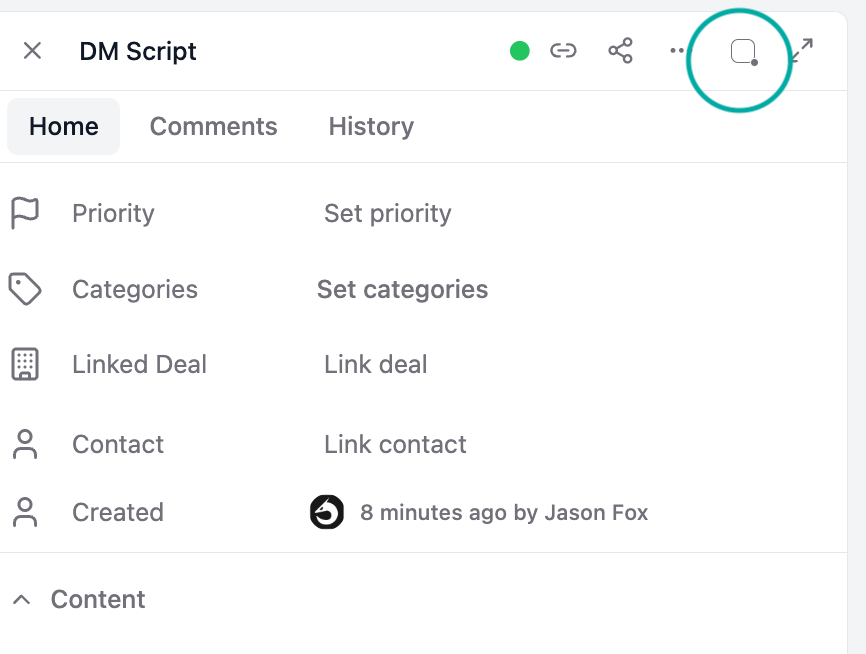
Use the chat bubble to open it anytime on that page.
Common Use Cases
Task list persists across pages
Keep a short “today list” pinned so it stays accessible as you move around.Use as a DM script when in Inbox
Pin your best reply scripts and open them while writing messages—no tab switching.